Customer and deal tracking
ThreadIQ
Pipeline, contacts, companies, and the whole email history attached to the record it belongs to. AI drafting and deal review built in. We use it to run this business.
From $12,000 to deploy, plus a service plan from $950 per month
What it does
- Visual pipeline, with deal records that carry the full communication history
- Contacts linked to companies linked to deals
- Two-way email sync
- AI drafting and deal review
- Campaign and event tracking
- Reporting and funnels
- Import and export in CSV and Excel
We built it to run devInstance and we still use it every day, which means the feedback loop on it is about four hours long.
Pipeline
See every deal, and what needs you today
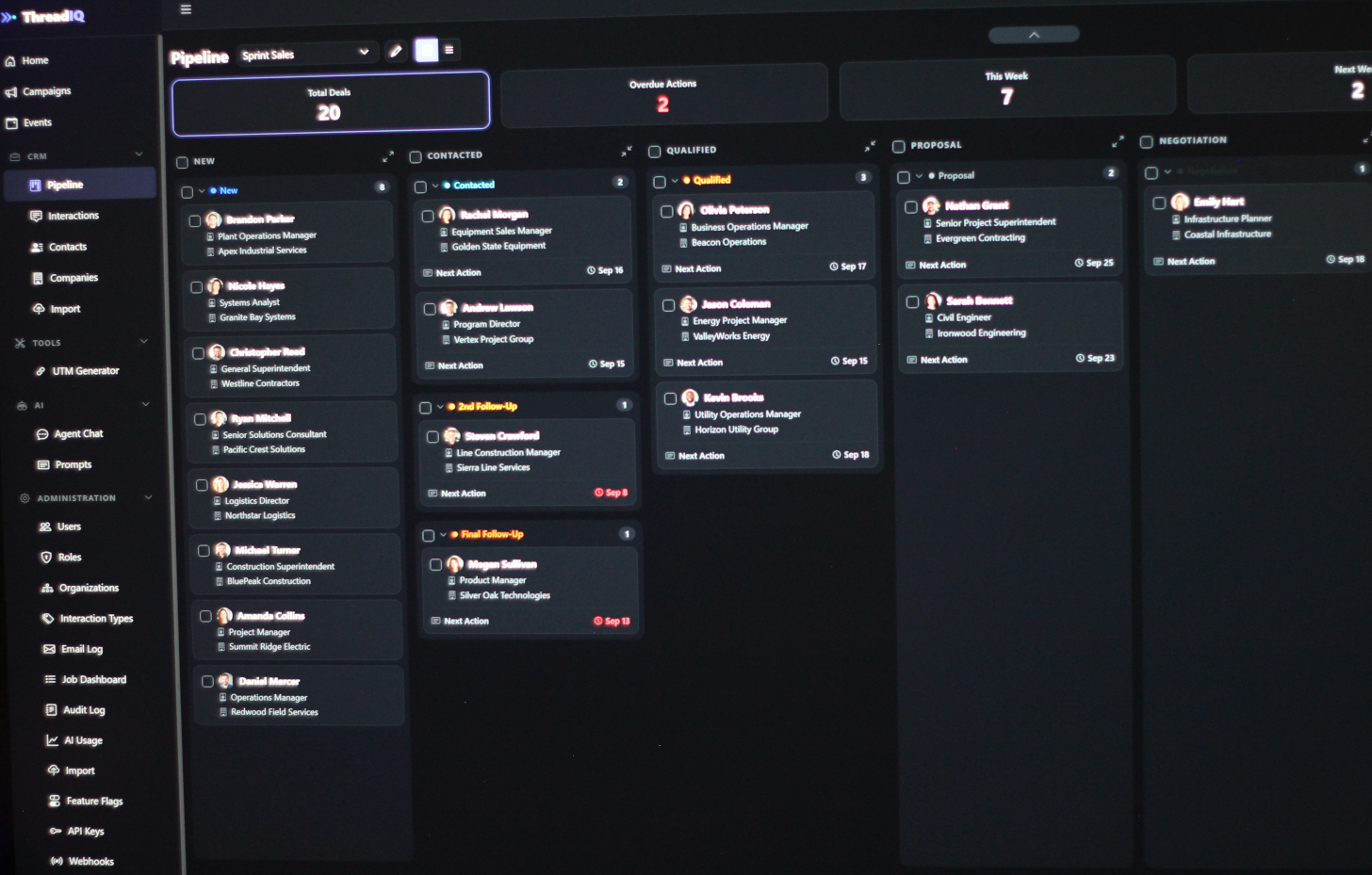
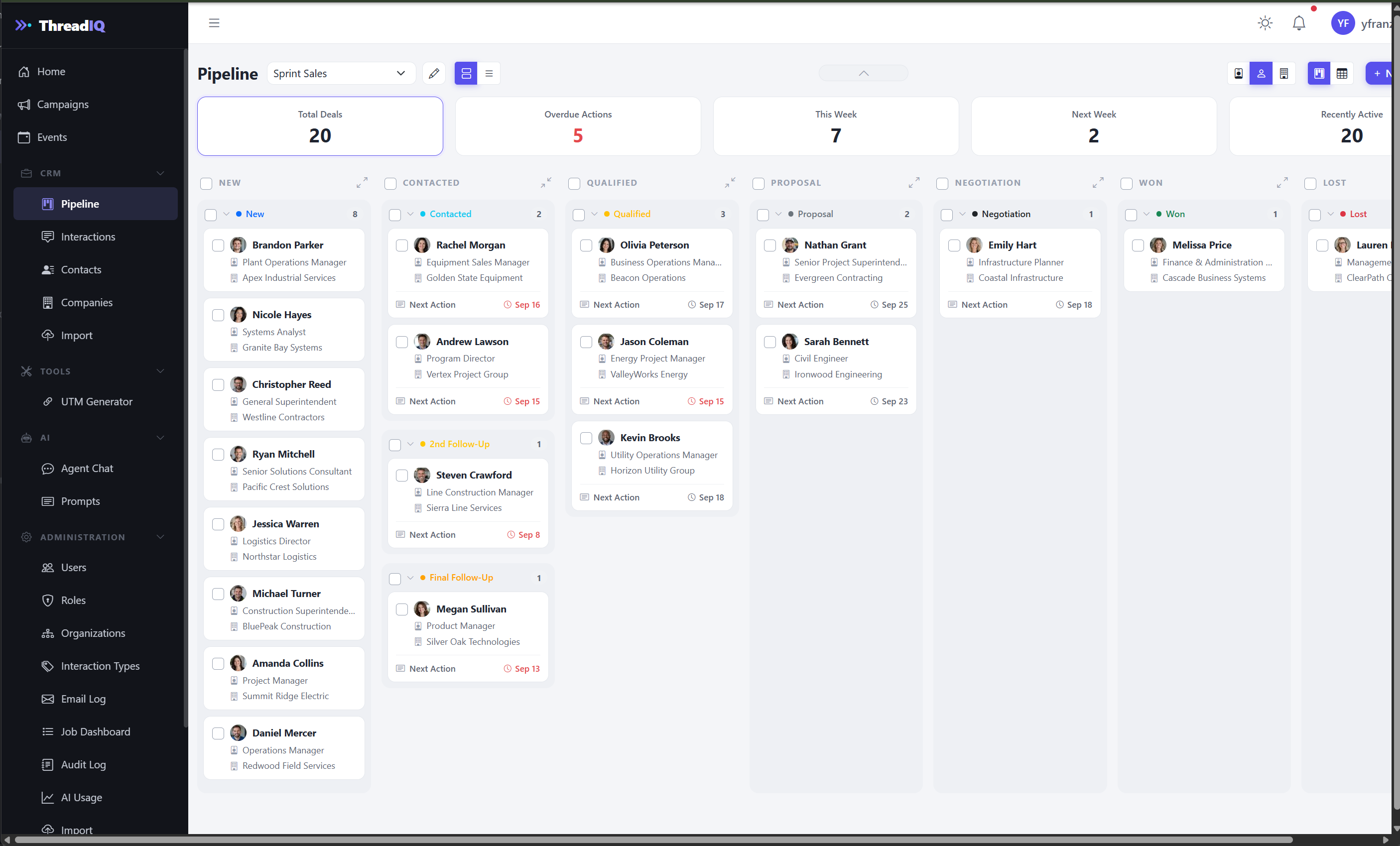
Your pipeline is a board. Each column is a stage you define, each card is a deal, and each card shows its next action and due date, in red when it is late. Across the top, the numbers that matter: total deals, overdue actions, due this week, due next week, and recently active. Click one to filter the board to it, so the Monday review starts with the right five deals instead of all fifty.
- Stages are configured per campaign, and a column can hold several steps, such as Contacted, 2nd Follow-Up, and Final Follow-Up
- Work one campaign at a time, or see deals from all campaigns on one board
- Show cards by contact name, title, or company
- Collapse columns you are not working in, and switch to a compact view when the pipeline gets long
- Select several deals at once for bulk actions
- Quick preview of a deal without leaving the board
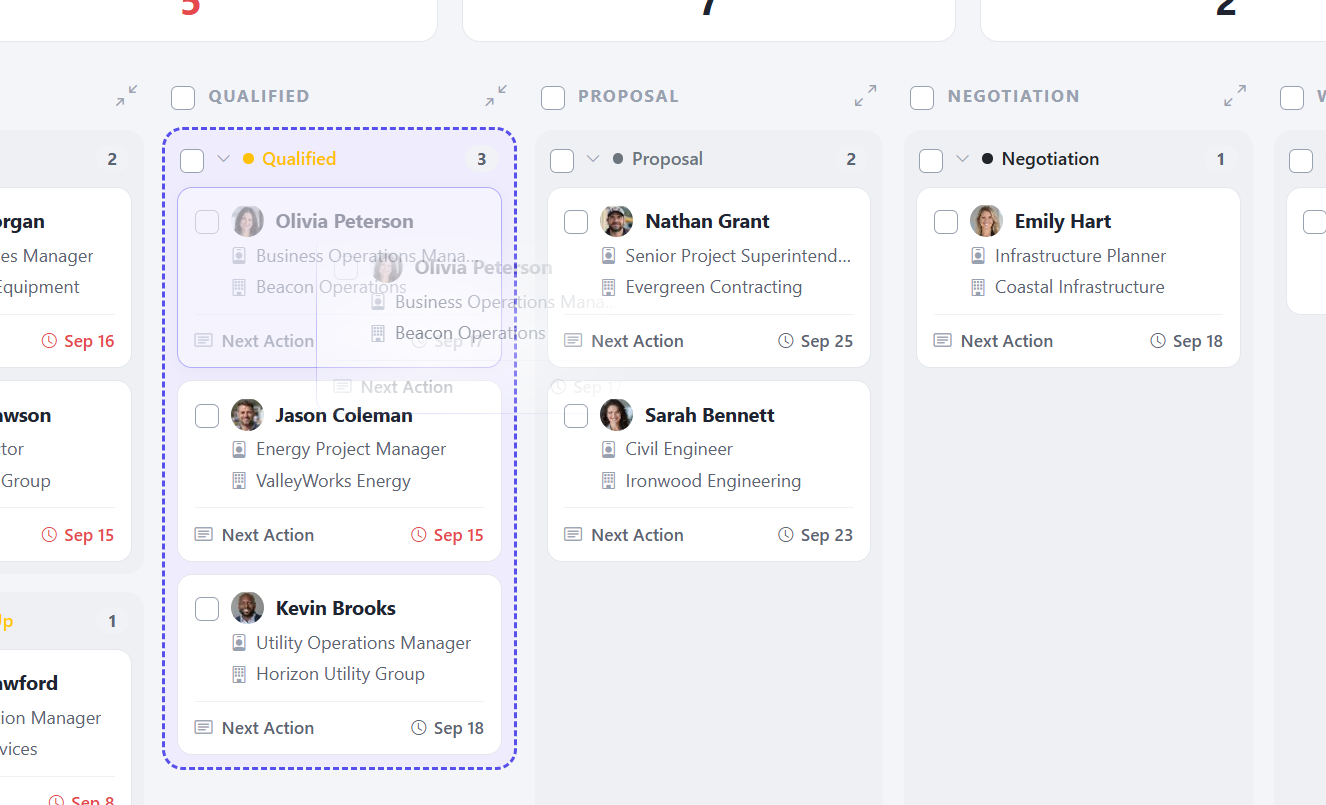
Move a deal by moving the card
Drag a card to the next stage when the deal moves. The history records the change, so nobody has to note it separately. Drag and drop works inside a single campaign, since each campaign can have its own stages.
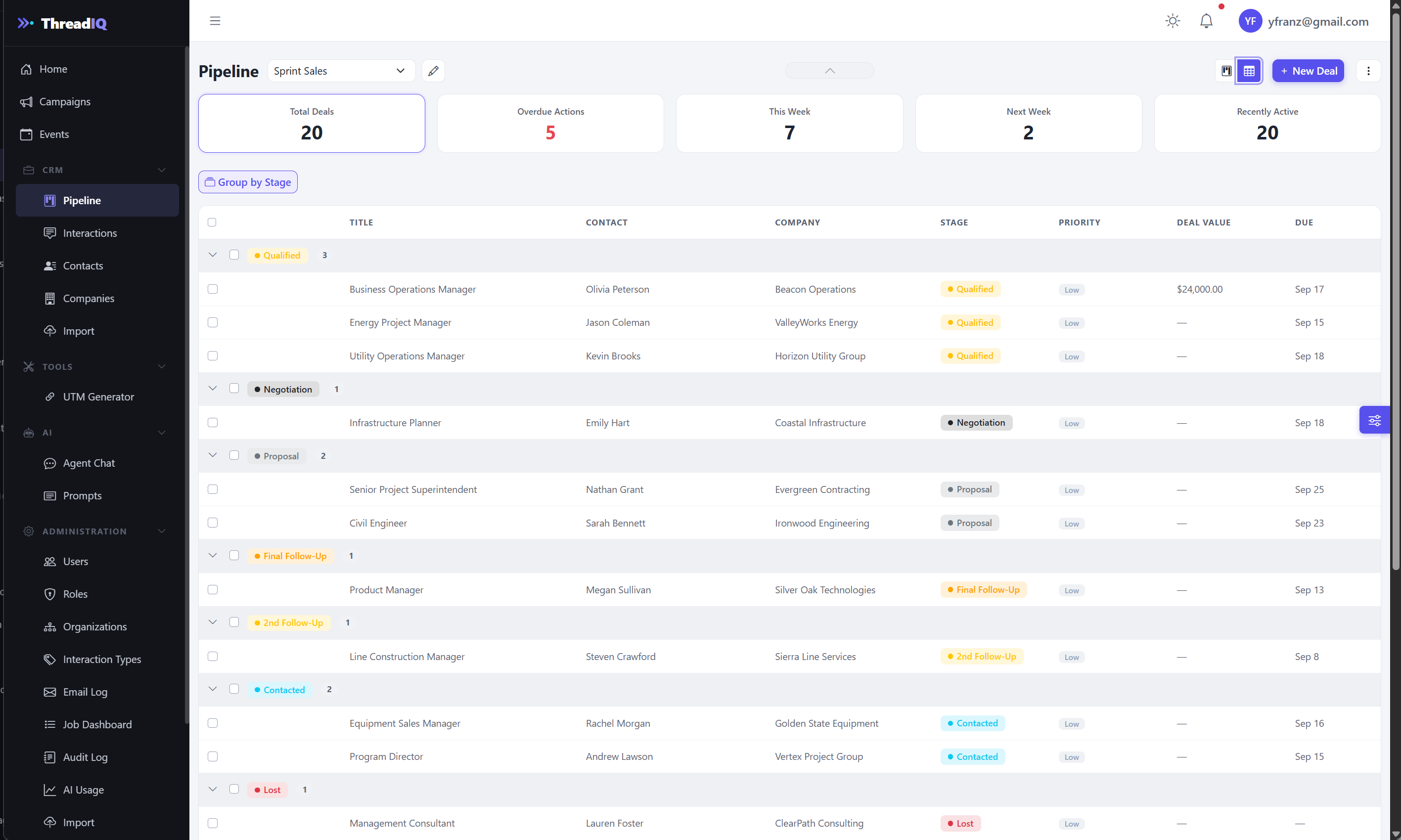
Prefer a list? Use the grid
The same deals as a table, grouped by stage, with title, contact, company, stage, priority, deal value, and due date in one row. Same counters, same campaign filter, same data, different shape. Collapse the stage groups you are not working on.
Deal assignment to team members In development
Assign each deal an owner and filter the board to your own deals or anyone else's.
The deal record
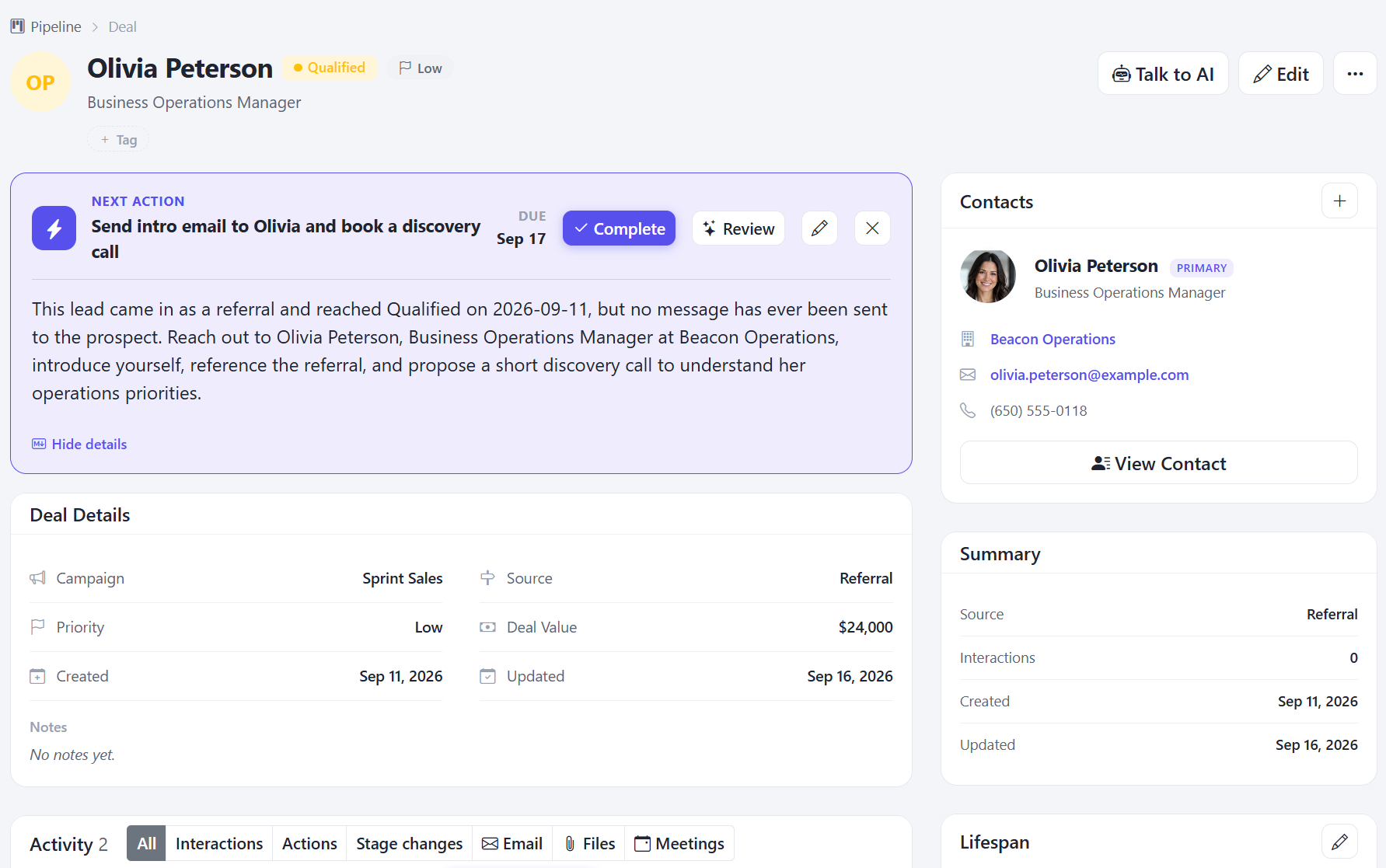
Everything about a deal, on one page
The next action sits at the top of the deal, with its due date and the reasoning behind it. Complete it, edit it, or ask the AI to review it. Below that: campaign, source, priority, deal value, tags, notes, and the contacts involved, each one a click away from their full record.
The activity timeline holds everything that has happened on the deal, with tabs for interactions, actions, stage changes, email, files, and meetings.
Email and meetings, attached where they belong
Two-way sync with Microsoft 365 brings every email exchange, incoming and outgoing, plus meetings, into the record of the deal they belong to. When someone asks "what did we last tell them?", the answer is on the page.
Google Workspace sync In development
The same email and meeting sync for teams on Google Workspace.
AI assistant
An assistant that has already read the file
The AI assistant works from the deal's actual history, not a blank prompt. From any deal it can prepare you for a meeting or a call, draft the next message or the first outreach, and review whether your planned next step still makes sense.
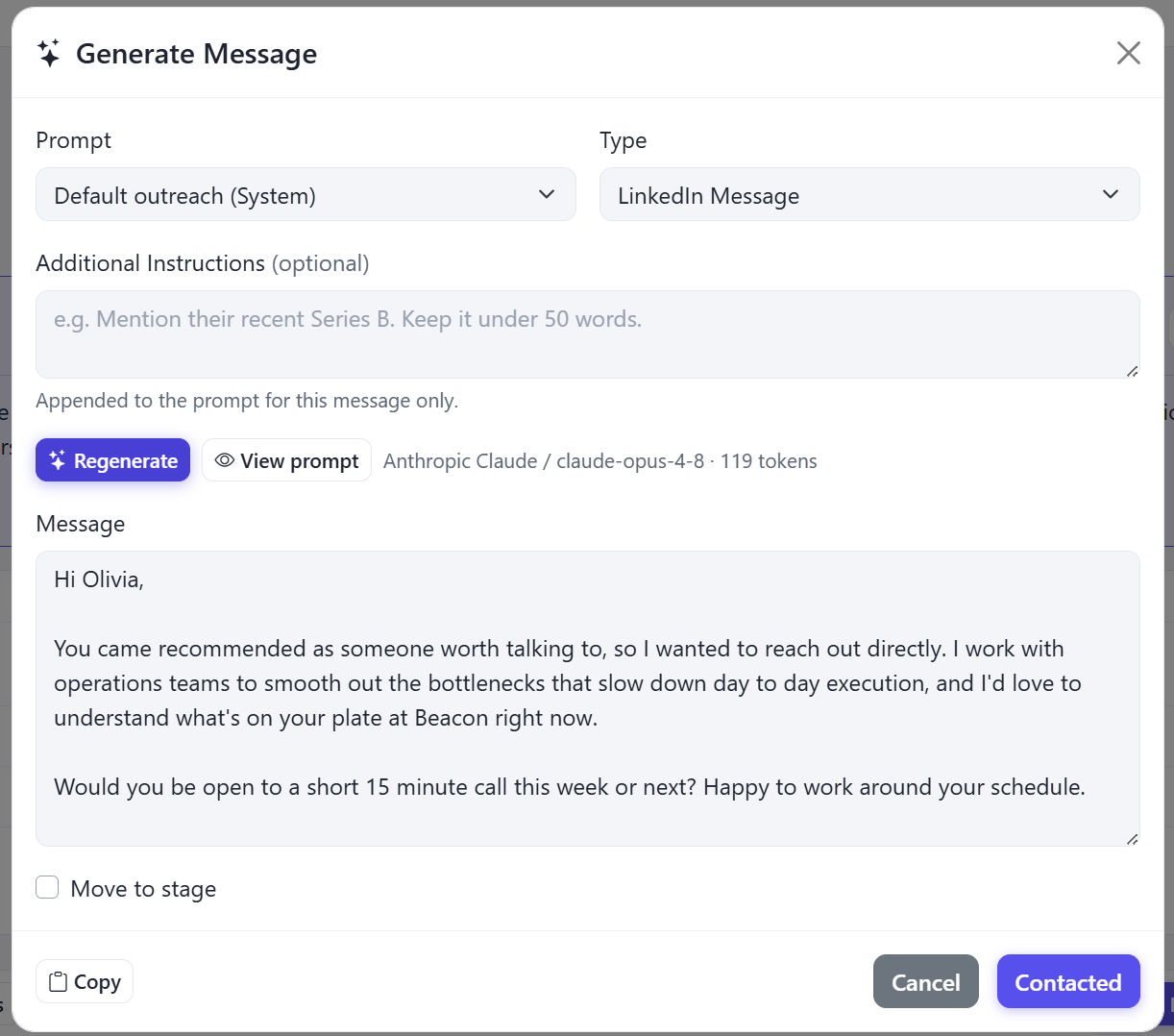
Draft the next message
Pick a prompt and a message type, add an instruction for this one message if you want ("keep it under 50 words"), and generate. Regenerate until it reads right, copy it, and move the deal to its next stage in the same step. Every draft shows which model wrote it and how many tokens it used.
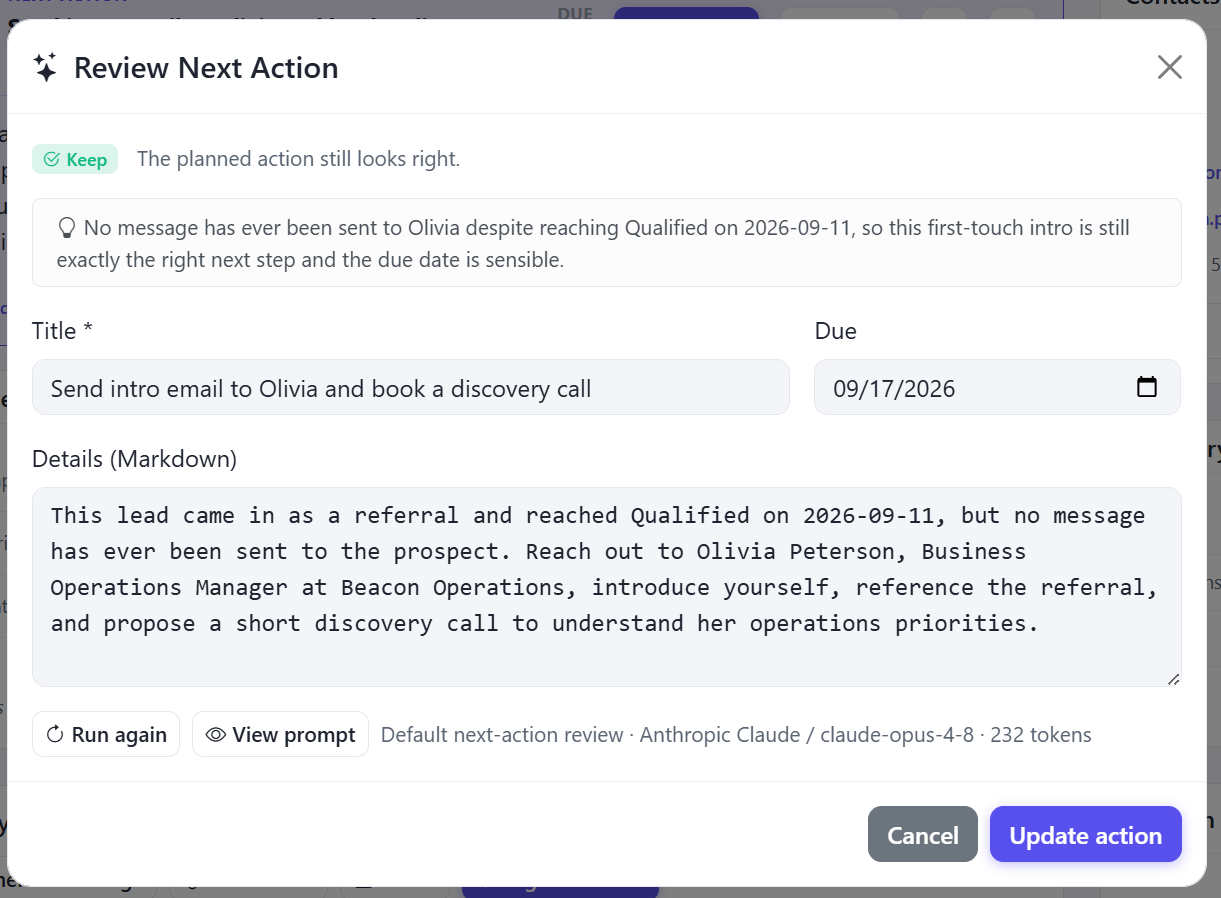
A second opinion on the next step
Ask the AI to review a deal's next action. It reads the communication history and tells you whether to keep the action, change it, or replace it, and why. If it suggests a change, the new title, due date, and details are filled in for you to accept or edit.
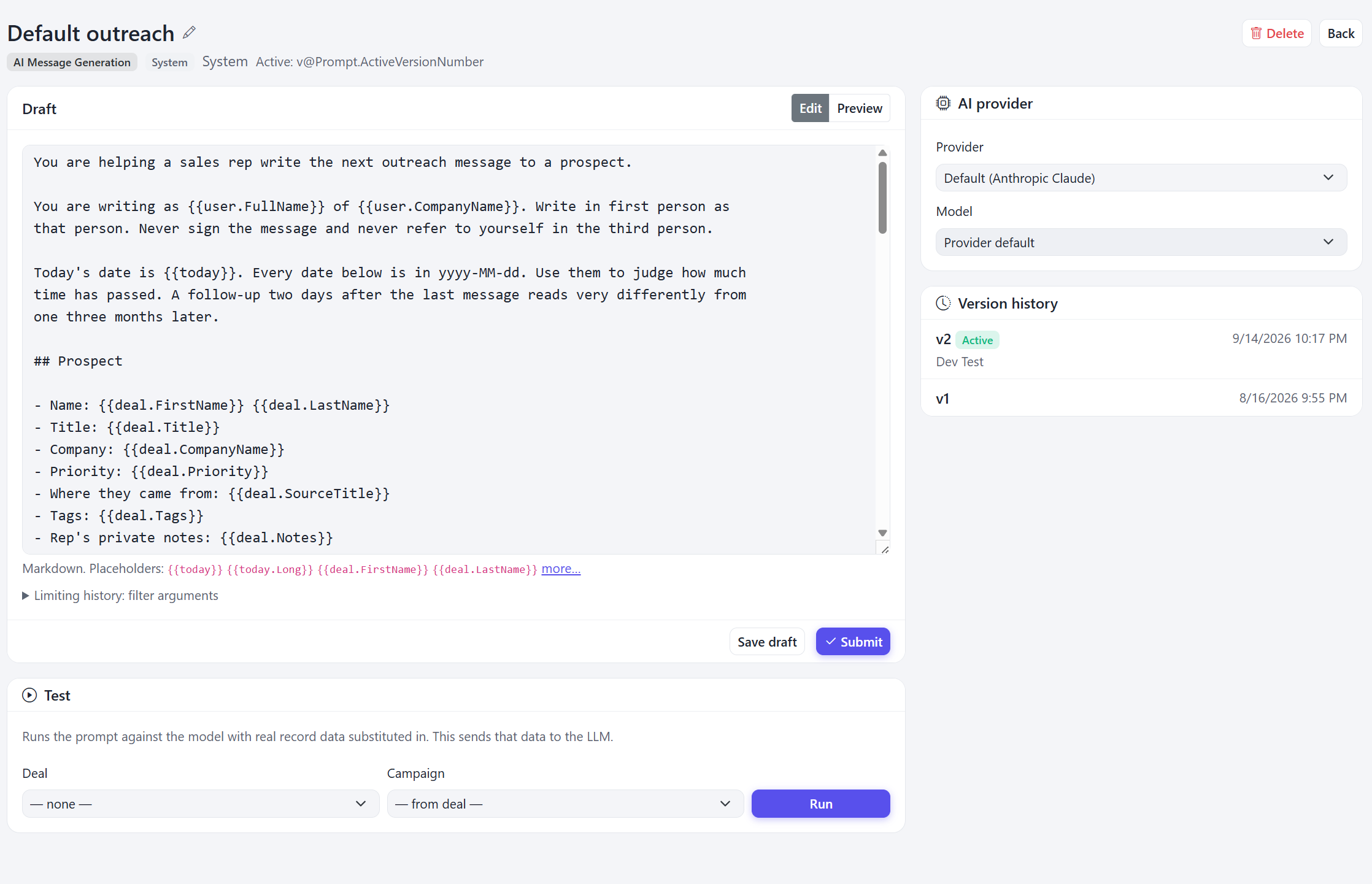
Write your own AI actions
Every AI action runs on a prompt you can read and change. If your team writes a post-demo recap or a renewal check-in a particular way, write that prompt once and it is available on every deal.
- Placeholders pull in deal, contact, campaign, and user data
- Test a prompt against a real deal before you publish it
- Version history, so you can see what changed and when
Need more than a draft? Talk to AI
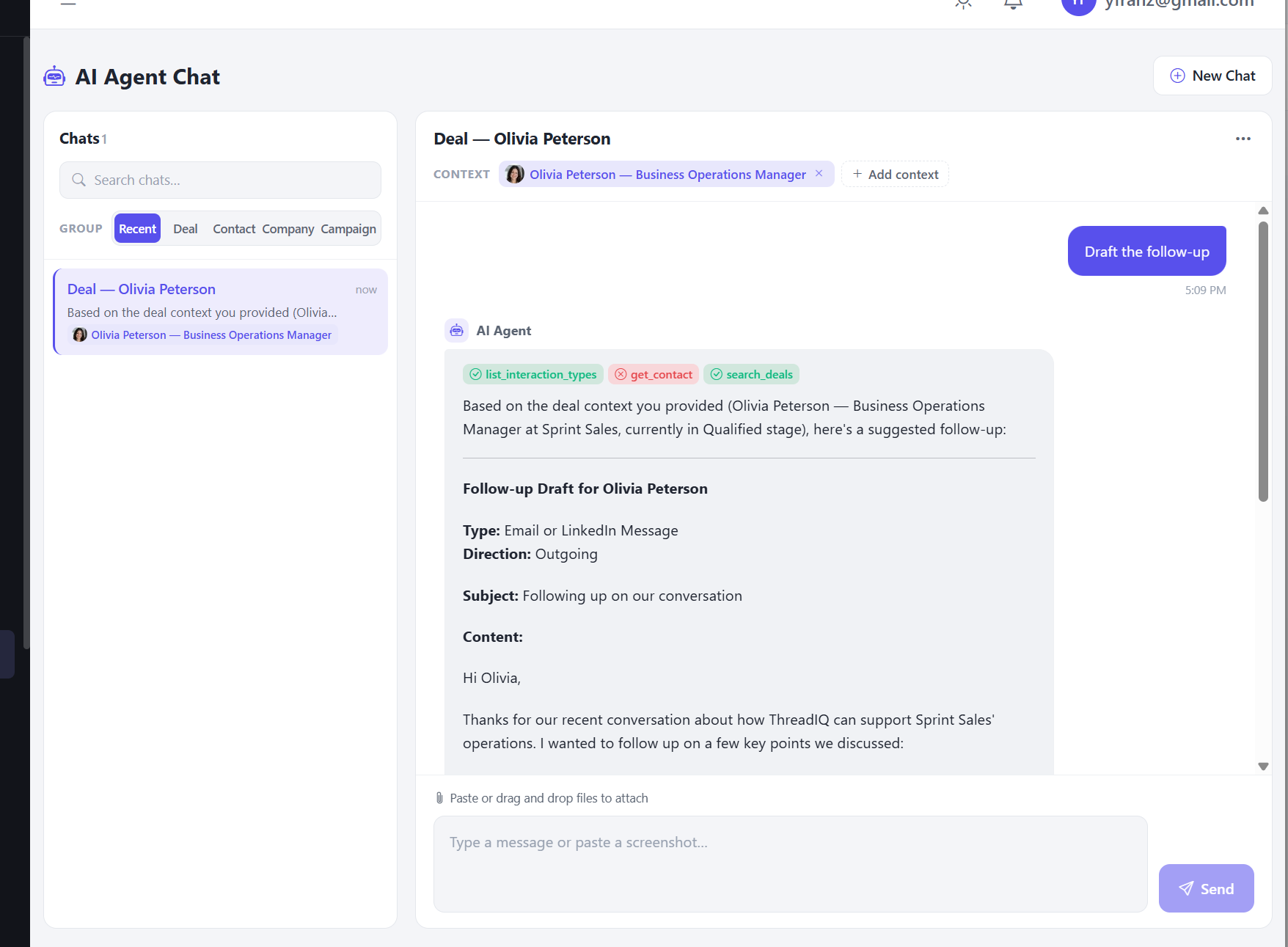
Press Talk to AI on a deal and a full agent chat opens with the deal already loaded. The agent is briefed before you type anything, so you start with the question, not the background. Add a contact, company, or campaign as more context, or paste a screenshot. Past chats are kept and grouped by deal, contact, company, and campaign.
Contacts and companies
Your contacts, in a database that stays yours
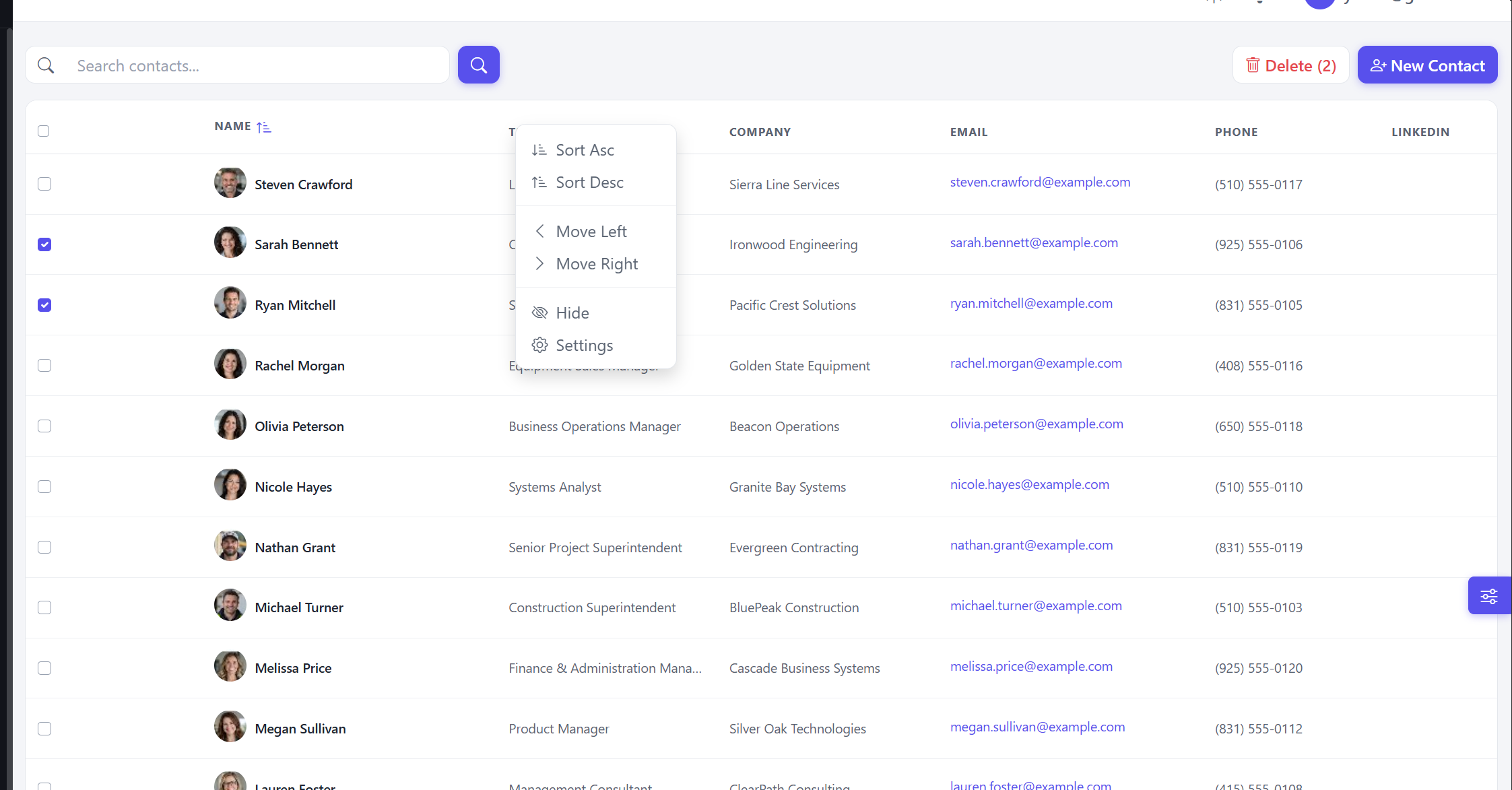
Full contact and company management, linked to each other and to their deals. Search, sort, and choose which columns you see and in what order.
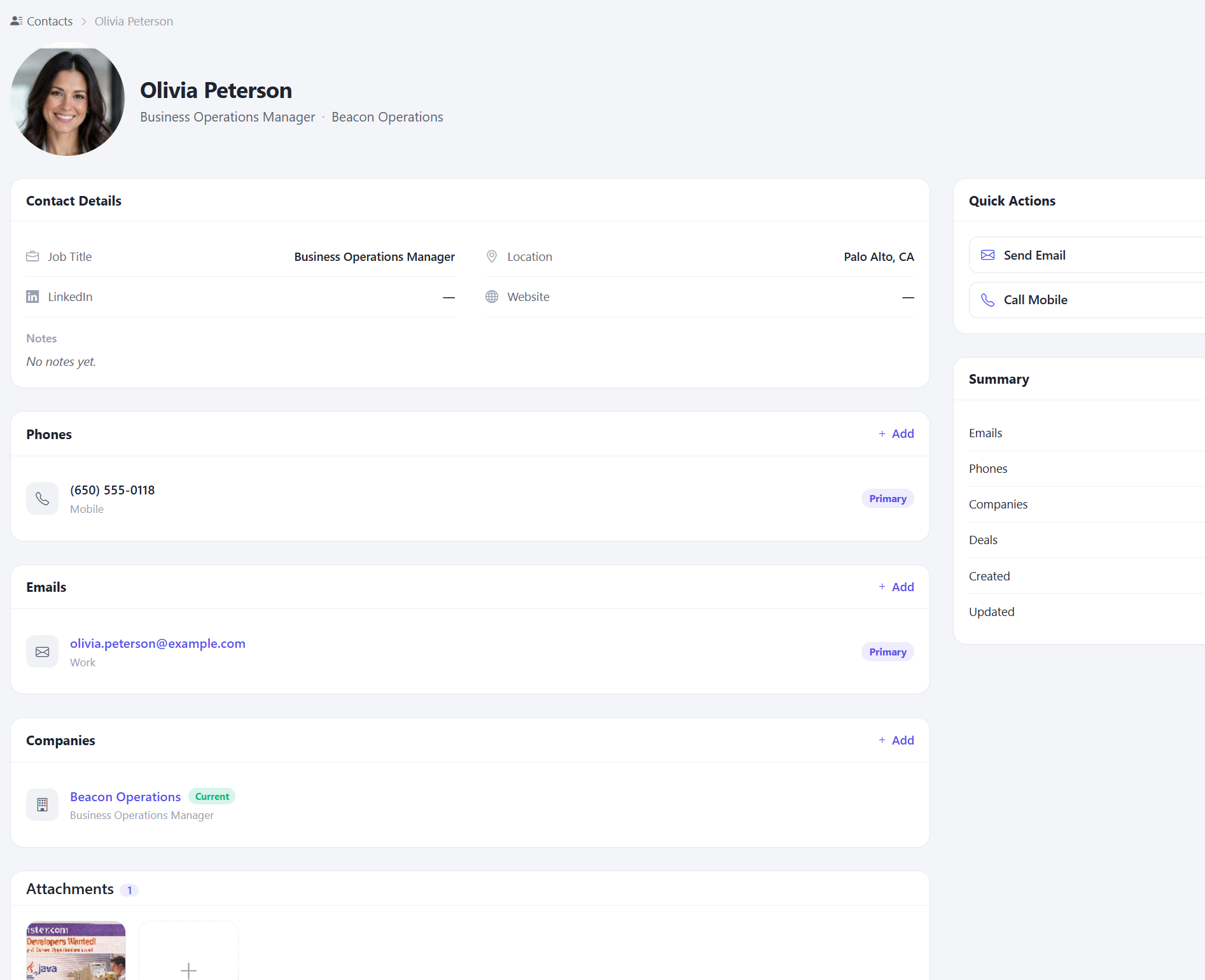
Each contact holds as many phone numbers and email addresses as they have, the companies they have worked for, their deals, and document and image attachments. Email or call them straight from the record.
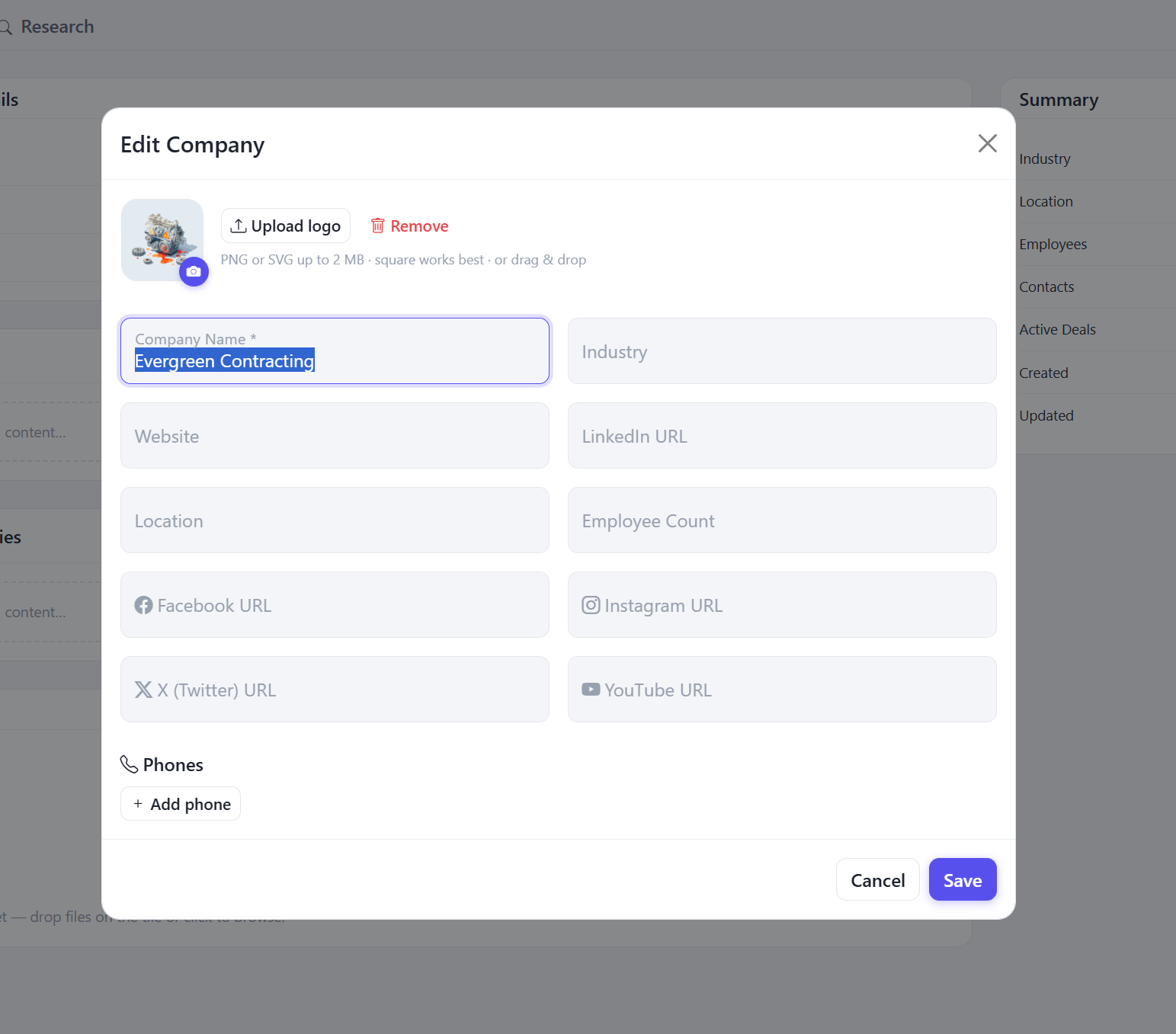
Companies carry their logo, industry, size, location, website, phone numbers, and social profiles, with their contacts and active deals alongside.
All of it, including the complete communication history, is stored in your own database. If you ever stop working with us, the data does not leave with us.
Interactions
Every conversation your company has had, searchable
One list of every interaction your team has had with every lead. Sort, group, filter, and search across multiple fields at once: find every call with a given company last quarter, or every email that mentioned a proposal.
Campaigns and events
Campaigns that tell the AI what you are trying to do
Group deals under a campaign with a date range, a goal, and an ideal customer profile. That context feeds the AI assistant, so its drafts and suggestions line up with what the campaign is for rather than generic sales advice.
Conferences, before and after
See past and upcoming events in one place, and track which deals and leads came from which conference. Before an event, set up a to-do list with action items and due dates, and ThreadIQ keeps the team reminded until they are done.
Reporting
Where the pipeline stands
Available now:
- This week: deals that need action in the next few days
- Next week: what is coming up so it does not arrive as a surprise
- Sales funnel: how deals move, and where they stall
More reports In development
- Pipeline value by stage
- Win and loss rate, with loss reasons
- Average sales cycle length
- Stage conversion rates
- Stalled deals: no activity past a set number of days
- Lead source performance
- Campaign and event results
- Revenue forecast from open deals
- Activity by team member (follows deal assignment)
Import and export
Bring the spreadsheet with you
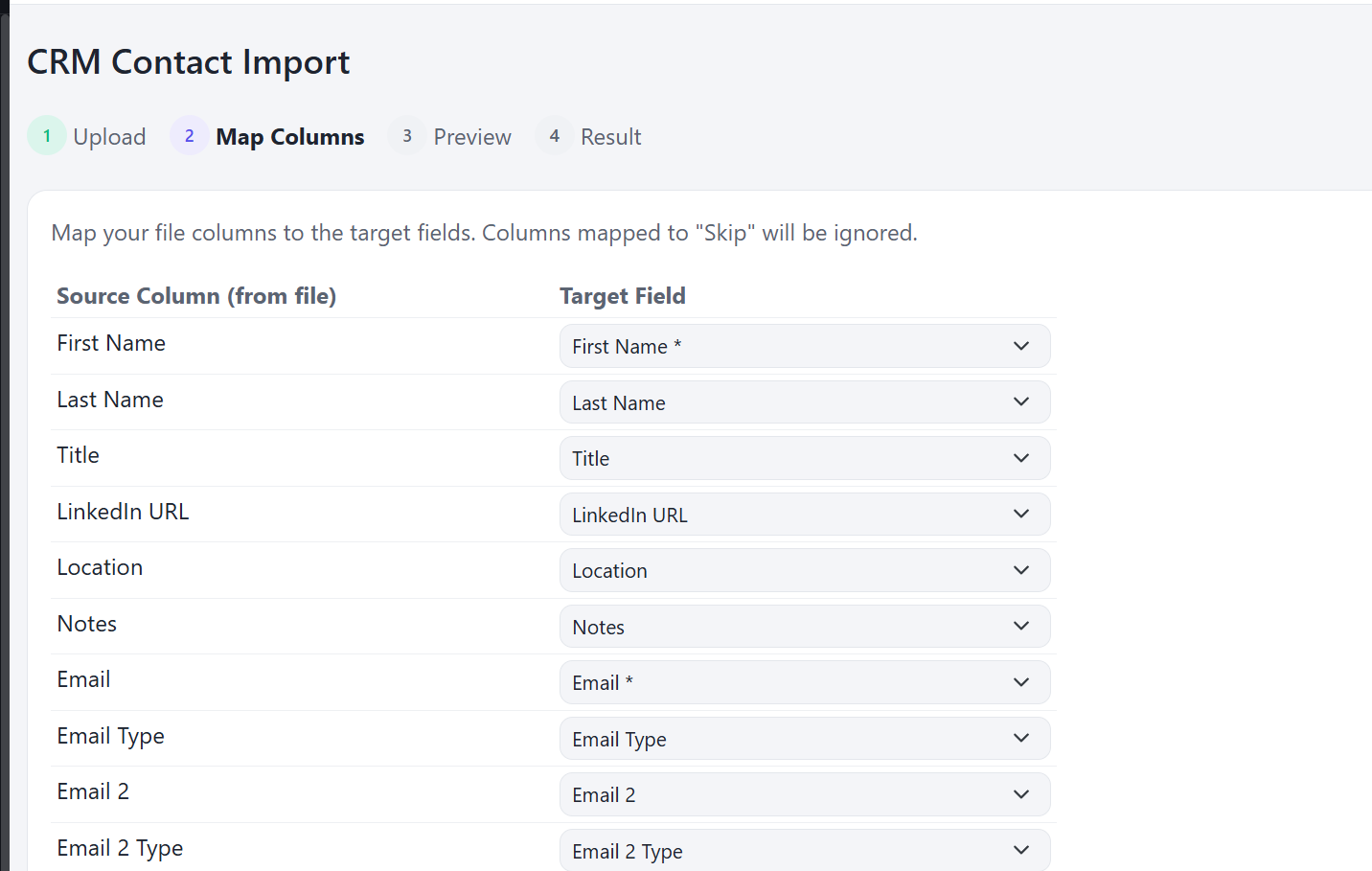
Import from Excel or CSV in four steps: upload, map your columns to ThreadIQ fields, preview, and import. Your sheet does not have to match our format first, and anything you map to "Skip" is left out. Export the same way whenever you need to.
The parts every business application needs, already built
ThreadIQ runs on the same foundation as every application we deploy. None of this is an add-on.
Users, permissions, and sub-organizations
Control who sees and changes what, across offices, regions, or subsidiaries.
Microsoft Entra and Google sign-in
Your team signs in with the accounts they already have.
System email with a delivery log
Password resets, daily digests, and notifications, with a log that shows what was sent and whether it arrived.
AI, managed for you
We run the AI provider by default, so there are no accounts or keys to set up.
AI usage and limits
Exact token usage, which prompts and features use the most, and limits you set.
Background jobs with monitoring
Scheduled work runs on its own, and you can see when it did and when it failed.
Data audit log
Who changed what, and when.
Settings at three levels
Global, per sub-organization, and per user.
Light, dark, and more themes
System health checks
The application reports on its own state, so problems are found before users find them.
And more.
Deployed the same way as everything we ship
- Deployed under your own domain, in a database only you use
- Monthly updates, security patching, backups with point-in-time recovery, and monitoring
- A perpetual license: cancel and the application keeps running
- No per-seat pricing at any user count
In development, and open to your vote
These are in progress. Like the ones you want most, and we will build those first.
Mobile app: conference companion
Capture contacts and notes on the show floor, and see your event to-do list on your phone.
Deal assignment
Assign each deal an owner and filter the board to your own deals or anyone else's.
Extended reports
Pipeline value by stage, win and loss rate, sales cycle length, stage conversion, stalled deals, lead source performance, campaign and event results, and revenue forecast.
Your own AI provider and models
Set your own provider and models. Claude is supported today; OpenAI and Google are next, and Azure, AWS Bedrock, Google Cloud, and locally hosted models are under evaluation.
Google Workspace sync
The same email and meeting sync for teams on Google Workspace.
Not on the list? Tell us what you would like to have.
See it running
Twenty minutes on a call. We show you the working application, not a deck.
Schedule a call